
A digital version of the Blood on the Clocktower grimoire, allowing in-person games.
When you first load the Pocket Grimoire, you'll be presented with a simple screen with the Setup section open and two of the buttons will be disabled.
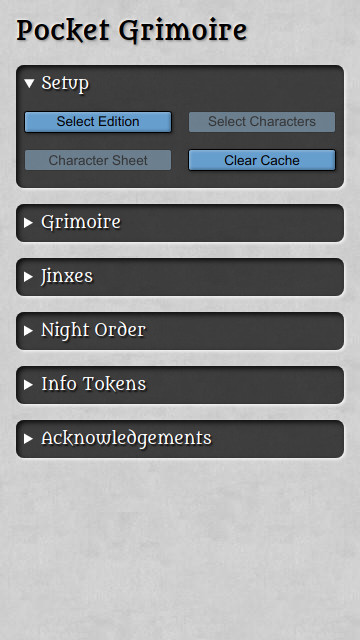
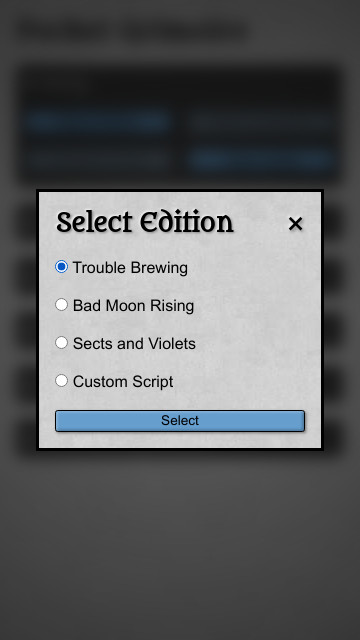
Select an edition to load the character data. It's possible to manage custom scripts, see the section lower down for more details.
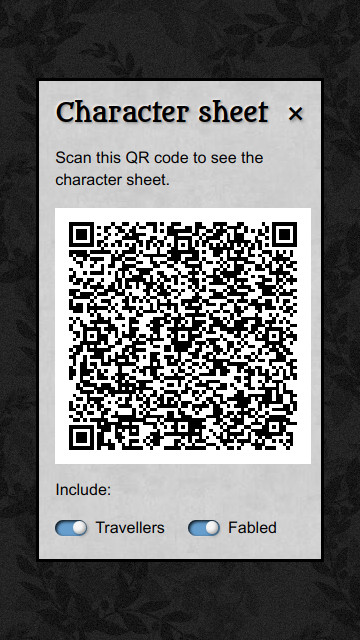
Once you've selected your edition, the buttons in the Setup screen will enable. This allows you to tap the "Character sheet" button and reveal a QR code that your players can scan to get see the list of characters on their phones.
Note
Notice how the background fully obscures the grimoire instead of blurring it? If the background is blurred then the screen should only be seen by the Story Teller, but if the grimoire is fully hidden by the background then the screen can be shown to the players.
As your players are familiarising themselves with the script, you can close that screen and tap the "Select Characters" button to select the characters . The characters can be selected manually or you can tap the "Highlight random" button to randomly select the tokens for you.
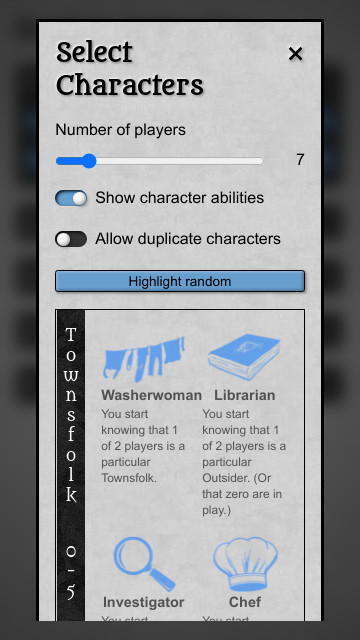
ℹ️ If you select the character and a red exclamation mark appears then the character changes the setup of the game. This may mean that other characters need to be selected. A yellow star means that a the character is jinxed with another one - including that character will add a section to the main screen that explains the effect of the Jinx on this game.
When you're happy with the selection, tap the "Draw Characters" button to let your players draw their tokens.
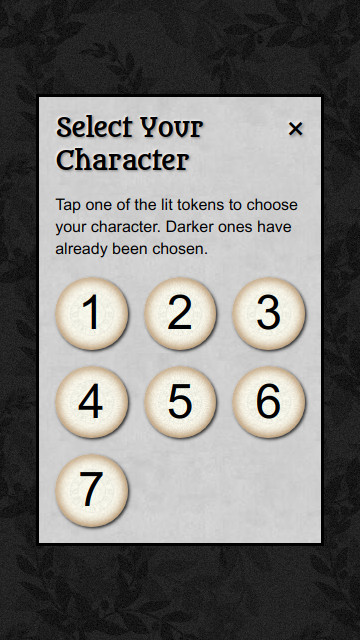
Tapping on any of the numbers will show the token - that will be that player's character. As a token is chosen, that number is greyed out to prevent it being selected again.
“Draw on devices” is an alternative to passing the Storyteller's device around. Set the number of players, select or randomly highlight the same number of characters, then choose “Draw on devices”. The app creates a room and displays a link and QR code for the players.
Each player chooses an available number on their own device, privately sees their character, and enters their name. Completed players are added to the Storyteller's grimoire in completion order. The Storyteller can rename a completed player, release a claimed number, or end the room from the draw-room panel. Releasing a completed number also removes its associated grimoire token.
Rooms expire 24 hours after creation. The Storyteller's room credentials and each player's claim are stored only in their respective browsers, so clearing site data or switching browsers loses access to those controls. Starting a new distributed draw ends the active room after confirmation; clearing the in-game cache ends it and resets the grimoire.
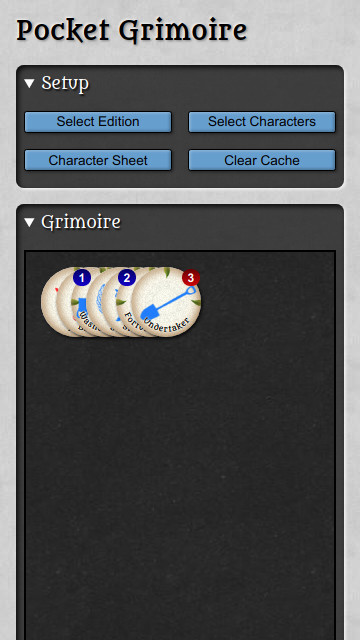
When all the tokens have been selected, close that screen and open the Grimoire section. Each of the chosen tokens will be added to the grimoire, with the first token on the bottom and the most recently chosen on at the top.
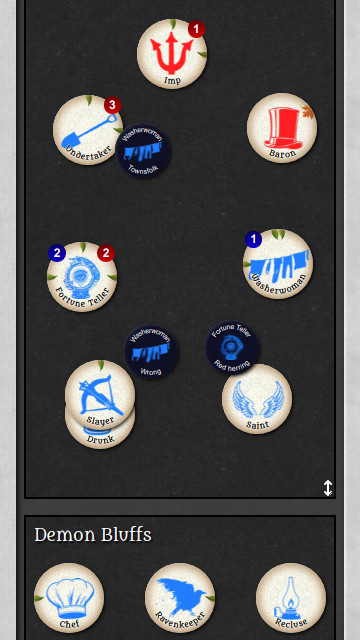
Organise the grimoire however you prefer, add any reminder tokens that you need, and set up some demon bluffs.
You're now ready to play a game of Blood on the Clocktower - have fun!
You can work on the project without installing PHP, Composer, Node.js or Yarn locally. All tooling runs inside Docker containers.
-
Copy
.env.exampleto.env, then adjust any local overrides you need. The containers already provide an internal MySQL URL. -
Build and start the stack:
docker compose up --build
The first startup installs Composer and Yarn dependencies and builds frontend assets before launching the PHP development server at
http://localhost:8000. -
Stop the stack with
docker compose downwhen you're done.
Run these commands from the project root to create the schema and seed the reference data without installing any local tooling:
# create the tables
docker compose exec app php bin/console doctrine:migrations:migrate

# populate base editions and teams (order matters)
docker compose exec app php bin/console pocket-grimoire:populate-editions --file=assets/data/editions.json --locale=en_GB
docker compose exec app php bin/console pocket-grimoire:populate-teams --file=assets/data/teams.json --locale=en_GB

# create/update the English characters and jinxes
docker compose exec app php bin/console pocket-grimoire:import --new=yes --type=all --locale=en_GB

# import teams, characters, and jinxes in every available non-English locale
docker compose exec app php -d memory_limit=512M bin/console --no-debug pocket-grimoire:import --new=no --type=all --locale=all
The all locale is supported by pocket-grimoire:import, which expands it to every configured locale except the base en_GB locale. Editions currently only have base-locale data, so populate them with --locale=en_GB; the pocket-grimoire:populate-editions command does not support --locale=all.
Compose also initializes an isolated app_test database. Before running the PHP test suite for the first time, migrate it with:
docker compose exec app php bin/console doctrine:migrations:migrate --env=test --no-interaction
docker compose exec app vendor/bin/phpunitRun project tooling through the app service. Examples:
-
Install PHP packages (usually handled automatically on container start):
docker compose run --rm app composer install
-
Execute Symfony console commands:
docker compose exec app php bin/console doctrine:migrations:migrate -
Build or watch frontend assets:
docker compose run --rm app yarn dev        # one-off build
docker compose run --rm app yarn watch      # rebuild on changes
docker compose run --rm app yarn build      # production build
All generated files (vendor, node_modules, compiled assets) live in Docker volumes, keeping the working tree clean.
The Compose stack exposes the application and the pinned dunglas/mercure:v0.24.2 hub through the same origin at http://localhost:8000. Mercure handles /.well-known/mercure directly and proxies all application routes to Symfony. “Draw on devices” uses the hub for version-only notifications and falls back to a 30-second recovery poll.
For testing with physical phones on a local network, open the development machine's LAN hostname or IP address instead of localhost:
docker compose up --buildOpen http://192.168.1.10:8000 on the Storyteller device so the generated join link uses the same reachable host. Replace the example address with the development machine's address.
Production only needs the internal URL used by Symfony to publish and a long, random JWT secret shared with the hub:
MERCURE_URL=http://mercure/.well-known/mercure
MERCURE_JWT_SECRET=replace-with-a-random-production-secret
Point the public HTTPS route at port 8000; both the application and Mercure will then use that origin, so no public Mercure URL or CORS configuration is required. Run the cleanup command from a scheduler (hourly is sufficient) to delete rooms after their fixed 24-hour expiry:
php bin/console app:draw-sessions:cleanupEndpoints reject expired rooms even before cleanup runs.
To run the distributed-draw browser tests against the Compose stack, install Chromium in the app container once, then run Playwright:
docker compose exec app yarn playwright install --with-deps chromium
docker compose exec app yarn test:e2eAs well as the three official scripts, the Pocket Grimoire can allow you to work with custom scripts. A custom script should be a list of IDs for the characters on the script. For example, here's Trouble Brewing as a custom script, including the travellers:
[
    "washerwoman",
    "librarian",
    "investigator",
    "chef",
    "empath",
    "fortuneteller",
    "undertaker",
    "monk",
    "ravenkeeper",
    "virgin",
    "slayer",
    "soldier",
    "mayor",
    "butler",
    "drunk",
    "recluse",
    "saint",
    "poisoner",
    "spy",
    "scarletwoman",
    "baron",
    "imp",
    "bureaucrat",
    "thief",
    "gunslinger",
    "scapegoat",
    "beggar"
]
The JSON file created on the official script tool will be understood.
Optionally, you can include a name for the script. To do this, include an entry in the JSON with the ID _meta:
[
    { "id": "_meta", "name": "Trouble Brewing" },
    // ...
]If you've noticed a typo, or you have a better translation or would like to add a new language, there are 3 files that will need to be updated:
-
The Community BotC Translations
This file contains translations for the tokens, reminders, and abilities.
Since this file wasn't created by me, you'll need to let me know of any updates.
This file has many more translations than the Pocket Grimoire has. -
The Jinxes
This file contains translations for the jinxes.
It was created as a separate file so that it could be easily used in other projects. -
The Pocket Grimoire
This file contains translations for anything that's specific for the Pocket Grimoire.
As soon as a translation exists in all 3 documents, I can add it to the Pocket Grimoire 🙂