





📢 WebODM has officially decoupled from OpenDroneMap! Read the announcement
Manage the WebODM Docker stack with WebODM/webodm.sh.
./webodm.sh <command> [options]

Commands:
  start [options]                         Start WebODM containers
  stop                                   Stop WebODM containers
  down                                   Stop and remove WebODM containers
  update                                 Update WebODM to the latest release
  liveupdate                             Update WebODM without stopping it
  rebuild                                Rebuild all docker containers and perform cleanups
  checkenv                               Environment check and install missing components
  test [frontend|backend] [args]         Run tests
  resetadminpassword "<new password>"    Reset the administrator password

Options:
  --port <port>                           Bind port (default: 8000)
  --hostname <hostname>                   Public hostname (default: localhost)
  --media-dir <path>                      Processing results storage path
  --db-dir <path>                         Postgres data path
  --default-nodes                         Number of default NodeODM nodes
  --with-micmac                           Start a NodeMICMAC node
  --ssl                                  Enable SSL with LetsEncrypt
  --ssl-key <path>                        Path to SSL private key (.pem)
  --ssl-cert <path>                       Path to SSL certificate (.pem)
  --ssl-insecure-port-redirect <port>     Redirect HTTP port when SSL enabled
  --debug                                Enable debug mode
  --dev                                  Development mode with live source edits
  --dev-watch-plugins                     Auto-build plugins in dev mode
  --broker                                Celery broker URL
  --detached                             Run in background (headless)
  --gpu                                  Use GPU NodeODM nodes (Linux only)
  --settings <path>                       Custom settings.py path
  --worker-memory                         Worker memory limit
  --worker-cpus                           Worker CPU limit
  --ipv6                                 Enable IPv6
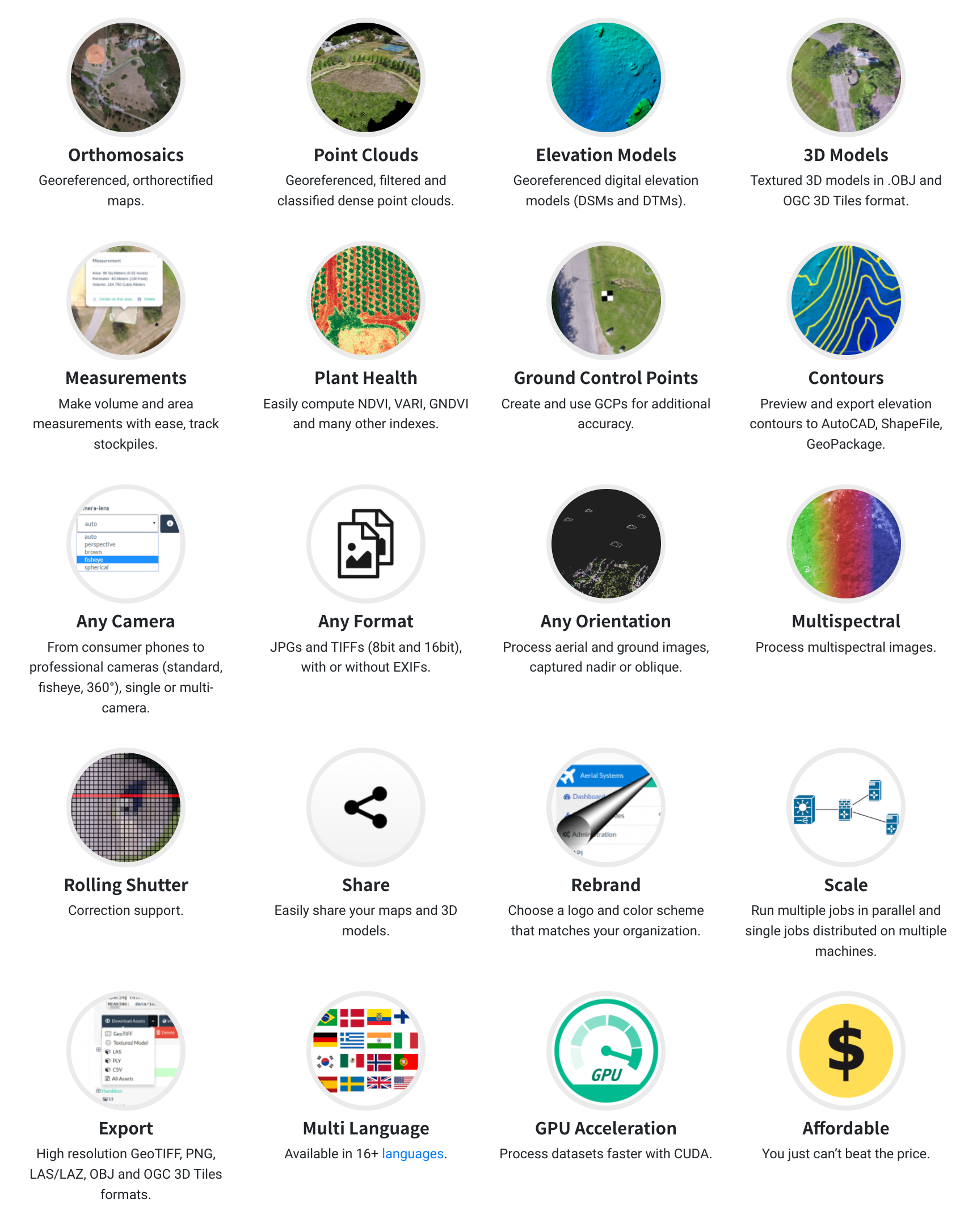
A user-friendly, commercial grade software for drone image processing. Generate georeferenced maps, point clouds, elevation models and textured 3D models from aerial images. It supports multiple engines for processing, currently ODM and MicMac.
- WebODM CLI (webodm.sh)
- Getting Started
- Customizing and Extending
- API Docs
- Roadmap
- Getting Help
- Support the Project
- Translations
- Become a Contributor
- Architecture Overview
- License
- Trademark
If you like WebODM, take a second and ⭐ the project 🙏
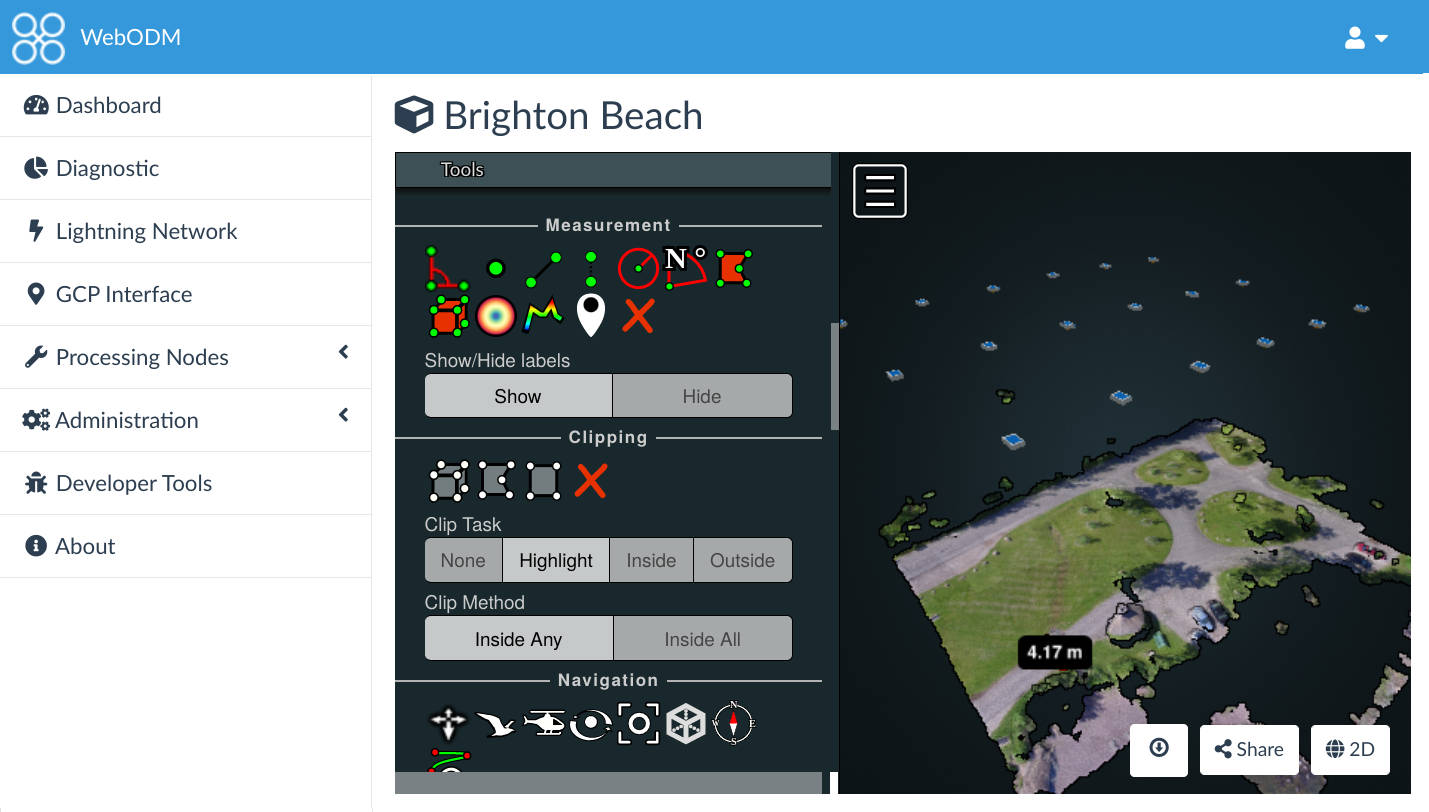
A user-friendly, commercial grade software for drone image processing. Generate georeferenced maps, point clouds, elevation models, textured 3D models and gaussian splats from aerial images. It supports multiple engines for processing, currently ODX, MicMac and LGT.

This fork preserves the custom Tapis, LS6, Corral and plugin integrations described in the customization inventory.
WebODM is licensed under the terms of the GNU Affero General Public License v3.0.
- WebODM is not affiliated with OpenDroneMap and is not a user interface to OpenDroneMap
- For processing, WebODM uses ODX, not ODM
- Official, up-to-date WebODM installers are free to download and make installation a breeze. If you paid for an installer after April 2026, you bought a different software. See how to migrate from a purchased installer.
The sections below preserve the fork’s existing integration descriptions. Deployment addresses and operational commands require environment-specific verification before use; this source upgrade does not deploy them.
This WebODM instance is configured for distributed processing using TACC's Lonestar6 supercomputer via ClusterODM-Tapis:
- Automatic Scaling: Datasets of 50+ images automatically trigger distributed processing
- Split-Merge Processing: Large datasets are intelligently split across multiple 16-core VMs
- Resource Optimization: Tapis automatically selects appropriate compute resources based on dataset size:
- ≤50 images: 1×16-core VM, 30GB RAM
- ≤150 images: 1×16-core VM, 30GB RAM
- ≤300 images: 2×16-core VMs, 30GB RAM each
- ≤600 images: 3×16-core VMs, 30GB RAM each
- ≤1000 images: 4×16-core VMs, 30GB RAM each
- ≤1500 images: 6×16-core VMs, 30GB RAM each
Split-Merge Options: Advanced users can control distributed processing via task options:
split: Number of images per submodel (auto-determined by default)split-overlap: Overlap between submodels in meters (default: 150m)sm-cluster: Cluster coordinator URL (automatically set)
Tapis Options: ClusterODM-Tapis exposes queue, allocation, and max run time task options. Allocation choices are loaded from TAS with service credentials:
WO_TAS_URLorTAS_URLWO_TAS_SERVICE_USERNAMEorTAS_SERVICE_USERNAMEWO_TAS_SERVICE_PASSWORDorTAS_SERVICE_PASSWORDWO_TAS_RESOURCE_FILTERorTAS_RESOURCE_FILTER(comma-separated, defaults to LS6/Lonestar6 names)WO_TAS_DEFAULT_ALLOCATIONorTAS_DEFAULT_ALLOCATION(defaults toBCS26030; a user who does not hold it falls back to their first active allocation)WO_TAS_REQUIRED_ALLOCATIONSorTAS_REQUIRED_ALLOCATIONS(comma-separated gate; must list every allocation users submit under, e.g.PT2050-DataX,BCS26030)
Guided task wizard: set WO_UI_TASK_WIZARD=YES to replace the one-page "Review → Start" task form with four steps. Outputs: tick each product you want (orthophoto, surface model, terrain model, point cloud, 3D textured model, PDF report, web tiles, 3D tiles when the node offers them) and say whether the imagery is multispectral or thermal; unticking the point cloud switches the map to ODM's lower-quality fast mode. Options: two or three curated choices per selected output (resolution, point-cloud quality, mesh detail) with context and a recommended value. Compute (Tapis-backed nodes only): allocation, queue, node count and run time derived from the node's per-image-count defaults and the chosen quality, explained against the Lonestar6 queue limits with an SU estimate; small jobs at ultra point-cloud quality are moved to the development queue. Review: everything that will be sent, with the full option editor one click away and "Save as preset". Options are composed from the ticked outputs over the pipeline settings of the system preset named Default (split/merge, cluster URL, concurrency and the like), so that preset is required for the wizard to appear; "Start from a preset…" loads any preset into the checklist. With the flag off (default) the legacy form is unchanged.
If you don't need the default "node-odm-1" node, simply pass --default-nodes 0 flag when starting WebODM:
./webodm.sh restart --default-nodes 0.
Then from the web interface simply manually remove the "node-odm-1" node.
The OpenDroneMap project is composed of several components.
- ODM is a command line toolkit that processes aerial images. Users comfortable with the command line are probably OK using this component alone.
- NodeODM is a lightweight interface and API (Application Program Interface) built directly on top of ODM. Users not comfortable with the command line can use this interface to process aerial images and developers can use the API to build applications. Features such as user authentication, map displays, etc. are not provided.
- WebODM adds more features such as user authentication, map displays, 3D displays, a higher level API and the ability to orchestrate multiple processing nodes (run jobs in parallel). Processing nodes are simply servers running NodeODM.

WebODM is built with scalability and performance in mind. While the default setup places all databases and applications on the same machine, users can separate its components for increased performance (ex. place a Celery worker on a separate machine for running background tasks).
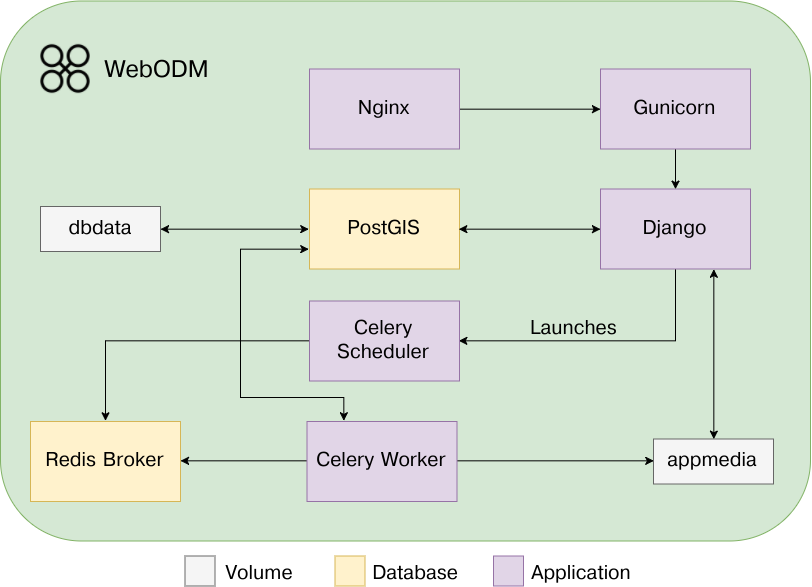
A few things to note:
- We use Celery workers to do background tasks such as resizing images and processing task results, but we use an ad-hoc scheduling mechanism to communicate with NodeODM (which processes the orthophotos, 3D models, etc.). The choice to use two separate systems for task scheduling is due to the flexibility that an ad-hoc mechanism gives us for certain operations (capture task output, persistent data and ability to restart tasks mid-way, communication via REST calls, etc.).
- If loaded on multiple machines, Celery workers should all share their
app/mediadirectory with the Django application (via network shares). You can manage workers via./worker.sh